How to Create Professional Headshot Using AI
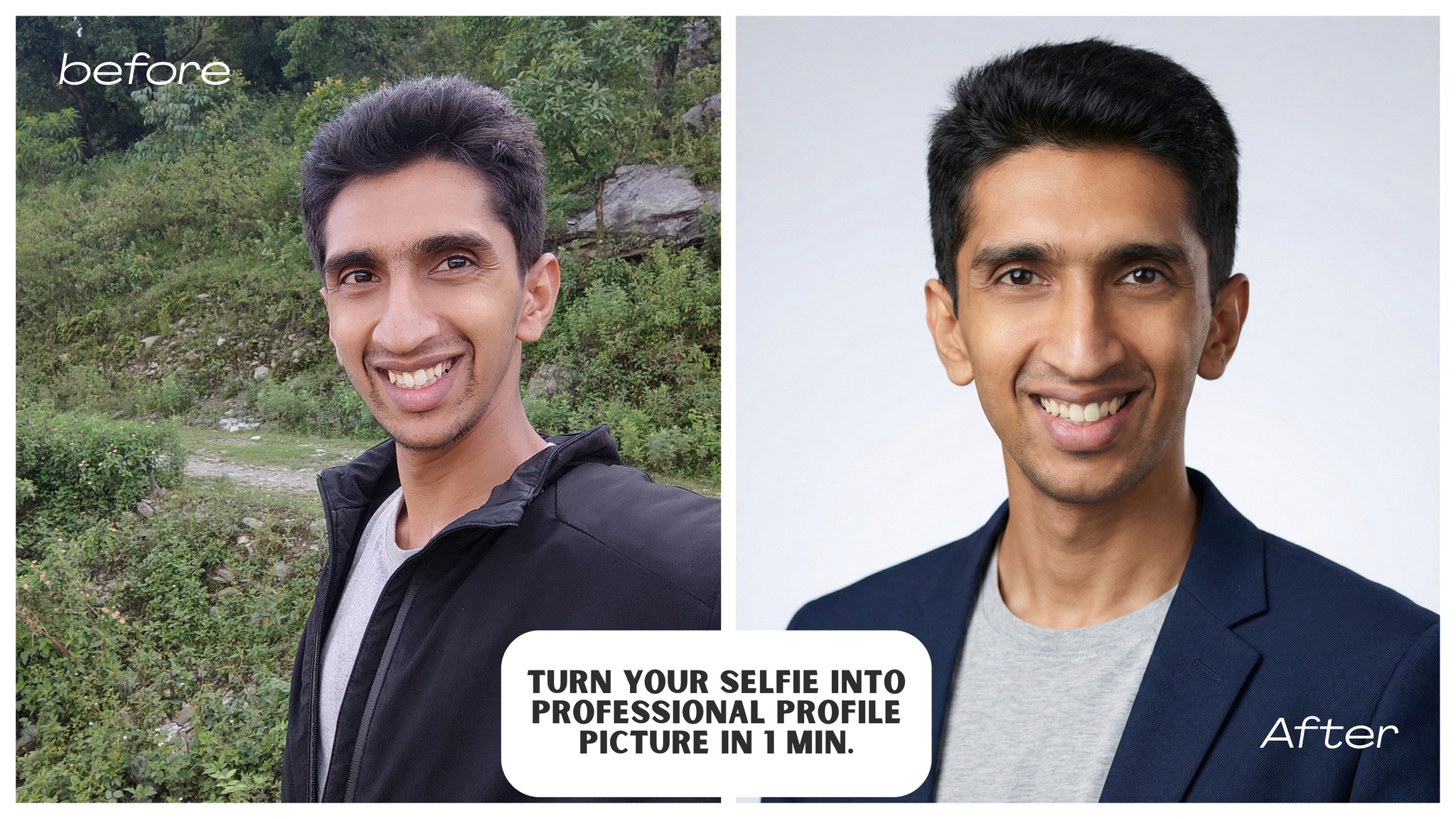
In today's professional world, having a high-quality headshot is essential for LinkedIn profiles, resumes, and professional networking. Professional photography can be expensive and time-consuming, but with the power of AI, you can now create stunning professional headshots from your own photos in just minutes.
Whether you're a job seeker, entrepreneur, or professional looking to update your online presence, this guide will show you how to use Google's Gemini AI to transform your selfies or casual photos into polished, professional headshots that make a great first impression.
What You'll Need
- A raw photo or selfie of yourself
- Access to Google Gemini (free)
- A few minutes of your time
Step-by-Step Guide to Create Professional Headshot Using AI
Step 1: Go to Gemini.com
Navigate to https://gemini.google.com/ in your web browser. Make sure you're signed in to your Google account.
Step 2: Choose Nano Banana Option and Pro Thinking Mode
Once you're on the Gemini interface:
- Select the Nano Banana option
- Enable Pro Thinking Mode for better results
These settings help Gemini provide more detailed and accurate image transformations.
Step 3: Upload Your Raw Photo or Selfie
Click on the upload button in the Gemini interface and select your photo. You can use:
- A selfie from your phone
- A casual photo
- Any photo where your face is clearly visible
Tips for best results:
- Use a photo with good lighting
- Make sure your face is clearly visible
- Avoid photos with heavy filters or extreme angles
Step 4: Paste the Professional Headshot Prompt
Copy and paste the appropriate prompt below into Gemini's text input field based on whether you're creating a headshot for a man or woman:
Prompt for Men:
1Transform this image into a professional LinkedIn profile headshot of the same person. Keep the natural face, skin tone, hairstyle and friendly smile. Crop from chest up, centered, looking slightly toward the camera. Change the background to a clean, softly blurred light neutral color (light grey or soft gradient). Add soft, even studio-style lighting, high resolution, sharp focus. Dress him in simple business-casual clothing (plain solid t-shirt or shirt with a neat dark jacket or blazer). Remove any distractions, blemishes or noise while keeping a natural look. Style: realistic photo, suitable for LinkedIn and professional resumes.
Prompt for Women:
1Transform this image into a professional LinkedIn profile headshot of the same person. Keep the natural face, skin tone, hairstyle and friendly smile. Crop from chest up, centered, looking slightly toward the camera. Change the background to a clean, softly blurred light neutral color (light grey or soft gradient). Add soft, even studio-style lighting, high resolution, sharp focus. Dress her in simple business-casual clothing (plain solid blouse or shirt with a neat blazer or professional jacket). Remove any distractions, blemishes or noise while keeping a natural look. Style: realistic photo, suitable for LinkedIn and professional resumes.
Step 5: Congratulations! Your Photo is Ready
After Gemini processes your image, you'll receive a professional headshot that's perfect for:
- LinkedIn profile pictures
- Professional resumes
- Business cards
- Company websites
- Professional portfolios
Learn More About AI
Interested in learning more about AI and how it can transform your professional life?
Join our community:
- Website: technologychannel.org
- Email: [email protected]
- YouTube: Technology Channel - 290K+ Subscribers
Transform your professional image today with AI-powered headshots. It's fast, free, and effective!